I would like to write some hate letters to the computer system gods, keyboards, and the muscle memory of keyboard shortcuts.
Why, why WHY does the End button go to the end of the line on PC yet it goes to the end of the entire document on Mac? The good news is that I got a Mac. AHHH, I got a Mac. I don’t think my boss understands how much that gave him points on my internal scoreboard tally but I made sure to tell my old boss…
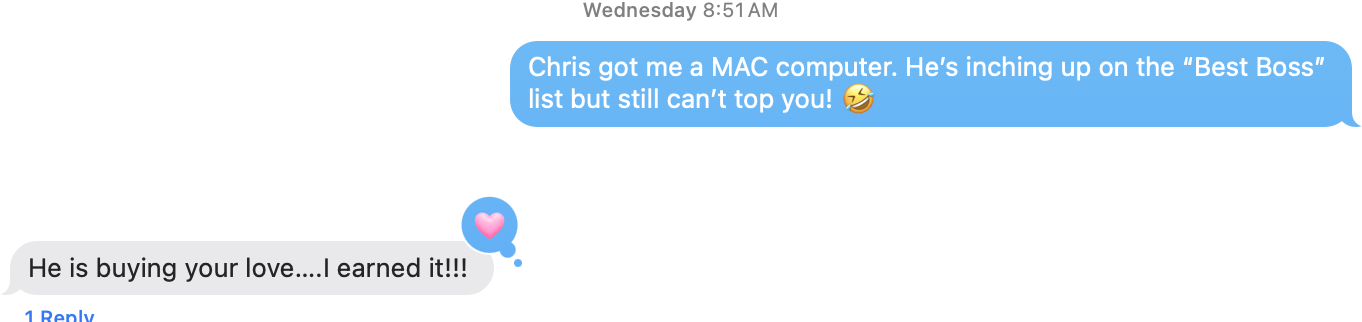
Which gave me some joy for the day.
I was shocked (shocked!) to realize that my personal Mac is 8 or 9 years old. It’s a 2016 but I probably bought it in 2017. It is on it’s last legs but I tend to use my work computer more so I’ve been putting off the purchase as I’m waiting for the perfect moment and the best features.
So I totally understand how the muscle memory and ease of use shifts. It took me a solid 2 weeks to get used to my Max computer 15ish years ago when I made the switch. It was HARD. But the benefits of no blue screen of death, the computer just TURNS ON and doesn’t fuck with you every day, you can message people on it if you are on your iPhone, and it’s just FAST. It just works. It’s intuitive for the most part.
But now I’m laughing at myself that 6 years of work PC habits now have to be broken. And I am a HUGE keyboard shortcut girl. My brain is connected to my fingers, I type so much easier, and the one thing that is different that I CAN’T change is this silly END button.
The upside down mouse? Changed. The mousepad? Done. I figured out where the Command button is on the Dell keyboard – but I ordered a Mac keyboard that will get here tomorrow anyway, so I’m not gonna live with that for too long.
I did sacrifice screen inches to get this computer approved but that’s what I have a second screen for.
But this end button. Oooh, you can’t change it. As far as I know. And I am constantly editing my words in the middle of sentences, and then going to the end of the line to continue typing. I am a very naggy editor. I am never satisfied and always changing things up.
That end button is going to be the death of me. I finally looked it up and I have to hit Command + right arrow. I probably need another two days with it but hopefully my new keyboard comes. But I’ll have to buy another one for my work space.
I’m trying to see the positive side of this by typing it all out because I’m sick of me cursing out my keyboard every time the page flashes down the screen.
I did realize that hitting the home button gets me back to my spot, but I’m not as familiar with hitting that button!
Two days! I should be good…
Hopefully. That’s a lot sooner than two weeks but I’ll probably need that for remembering where all my apps and files are. OOOH and PrintScreen. Gah. That’s my other favorite, screencap and paste. Whereeeeee.
Whoosha.

Comments on this entry are closed.